<?xml version="1.0" encoding="utf-8"?>
<feed xmlns="http://www.w3.org/2005/Atom">
  <title>Lavadip posts</title>
  <subtitle>Posts on lavadip.com.</subtitle>
  <link href="https://lavadip.com"/>
  <updated>2010-12-28T00:00:00.000Z</updated>
  <author>
    <name>Harshad RJ</name>
  </author>
  <id>https://lavadip.com/</id>
<entry>
<id>https://lavadip.com//2191_accuracy_of_skeye_cam</id>
<title>Accuracy of SkEye Cam</title>
<link href="https://lavadip.com//2191_accuracy_of_skeye_cam"/>
<content type="html">&lt;blockquote data-svelte-h=&quot;svelte-4ne333&quot;&gt;&lt;p&gt;Update 1, 5th July 2021: A few days after publishing this post, I changed the solver to assume a square pixel
grid. This helps converge the solution faster though it changes the results slightly. This post has been updated
with the newer results.&lt;/p&gt;&lt;/blockquote&gt; &lt;blockquote data-svelte-h=&quot;svelte-1mjpfna&quot;&gt;&lt;p&gt;Update 2, 14th July 2021: Better accuracy after correcting for lens distortions.&lt;/p&gt;&lt;/blockquote&gt; &lt;p data-svelte-h=&quot;svelte-bzp2p1&quot;&gt;I have created a new app called SkEye Cam. It’s a Camera App targeted at hobbyist astronomers
(such as myself), and its highlight feature at launch will be real-time plate-solving.&lt;/p&gt; &lt;p data-svelte-h=&quot;svelte-1cak3fe&quot;&gt;Plate-solving is the act of figuring out which part of the sky has been captured on a camera plate (image). This
can not only help identify objects in the image, it can also help find the orientation of a telescope, which in turn
can be used for navigation, etc.&lt;/p&gt; &lt;p data-svelte-h=&quot;svelte-l5kd3v&quot;&gt;Compared to raw IMU sensors, plate-solving has the promise of being more accurate and reliable. But exactly how accurate can it be?&lt;/p&gt; &lt;p data-svelte-h=&quot;svelte-dniofu&quot;&gt;We decided to find out.&lt;/p&gt; &lt;h1 data-svelte-h=&quot;svelte-121zryq&quot;&gt;Method &amp;amp; Apparatus&lt;/h1&gt; &lt;ul data-svelte-h=&quot;svelte-1mm3hbw&quot;&gt;&lt;li&gt;A camera pointed to the sky on a sturdy mount, and locked in position (no tracking).
This ensures that only the Earth’s rotation will change the camera field over time, and this change can be precisely computed.&lt;/li&gt; &lt;li&gt;Capture multiple images with timestamps, with a gap of about one minute.&lt;/li&gt; &lt;li&gt;From the timestamp, calculate elapsed time for each image w.r.t the first image’s timestamp.&lt;/li&gt; &lt;li&gt;From the elapsed time, calculate expected changes in RA, Declination, and frame rotation angle.&lt;/li&gt; &lt;li&gt;Determine the difference between plate-solved values w.r.t the expected values of RA, Dec, rotation angle.&lt;/li&gt;&lt;/ul&gt; &lt;h1 data-svelte-h=&quot;svelte-1lhqaye&quot;&gt;Data collection&lt;/h1&gt; &lt;p data-svelte-h=&quot;svelte-2jxzr6&quot;&gt;Being clouded out myself, I sought the help of my friend, Brewster LaMacchia. He has been photographing the
night sky with his phone for some time now. You can view his astro-photos on his local astronomy club’s page &lt;a href=&quot;https://www.facebook.com/northshoreastronomy&quot;&gt;here&lt;/a&gt;.&lt;/p&gt; &lt;p data-svelte-h=&quot;svelte-oqk2vh&quot;&gt;Brewster has a Pixel 3a which has a FOV of 65° by 50°. He also has an add-on telephoto lens (&lt;a href=&quot;https://www.siruiusa.com/index/mobile/lens60mm.html?cid=8&amp;amp;id=43&quot;&gt;Sirui 60mm&lt;/a&gt;), which can be placed atop the phone’s camera to yield a narrower FOV of 40° by 30°.&lt;/p&gt; &lt;p data-svelte-h=&quot;svelte-7dfeon&quot;&gt;He collected four sets of images from the combinations of the following criteria:&lt;/p&gt; &lt;ul data-svelte-h=&quot;svelte-ai9otw&quot;&gt;&lt;li&gt;Camera pointed at Declination 90 (near Polaris), and pointed at Declination 0 (near Virgo)&lt;/li&gt; &lt;li&gt;With and without the telephoto lens&lt;/li&gt;&lt;/ul&gt; &lt;p data-svelte-h=&quot;svelte-z0n34i&quot;&gt;Here’s a sample from each data set:&lt;/p&gt; &lt;div style=&quot;display: flex; flex-wrap:wrap&quot;&gt;&lt;div class=&quot;smallImg svelte-1uf1mur&quot;&gt;&lt;img src=&quot;/media/accuracyTest/native_dec0.jpg&quot; alt=&quot;Native camera Dec 0°&quot; width=&quot;200px&quot;&gt; &lt;p&gt;Native camera Dec 0°&lt;/p&gt; &lt;/div&gt; &lt;div class=&quot;smallImg svelte-1uf1mur&quot;&gt;&lt;img src=&quot;/media/accuracyTest/native_dec90.jpg&quot; alt=&quot;Native camera Dec 90°&quot; width=&quot;200px&quot;&gt; &lt;p&gt;Native camera Dec 90°&lt;/p&gt; &lt;/div&gt; &lt;div class=&quot;smallImg svelte-1uf1mur&quot;&gt;&lt;img src=&quot;/media/accuracyTest/60mm_Dec0.jpg&quot; alt=&quot;60mm lens Dec 0°&quot; width=&quot;200px&quot;&gt; &lt;p&gt;60mm lens Dec 0°&lt;/p&gt; &lt;/div&gt; &lt;div class=&quot;smallImg svelte-1uf1mur&quot;&gt;&lt;img src=&quot;/media/accuracyTest/60mm_Dec90.jpg&quot; alt=&quot;60mm lens Dec 90°&quot; width=&quot;200px&quot;&gt; &lt;p&gt;60mm lens Dec 90°&lt;/p&gt; &lt;/div&gt;&lt;/div&gt; &lt;p data-svelte-h=&quot;svelte-1mri62l&quot;&gt;The images appear greenish because color correction hasn’t been implemented yet.&lt;/p&gt; &lt;blockquote data-svelte-h=&quot;svelte-1rob3as&quot;&gt;&lt;p&gt;Note that major parts of the images are covered by trees/houses, and all of them were captured on 23
June, in the presence of a near full moon.&lt;/p&gt;&lt;/blockquote&gt; &lt;p data-svelte-h=&quot;svelte-1cwk204&quot;&gt;I tested the plate-solver on these images offline, with a script running on my laptop.&lt;/p&gt; &lt;p data-svelte-h=&quot;svelte-109v3ms&quot;&gt;The plate-solver estimates the lens distortion and this can be stored as part of the calibration and used in a later solve to correct
the image. It happens automatically within the app, but for this experiment, I setup the script to estimate the lens distortion
on the first image in each set, and then used it to for the remaining images in that set.&lt;/p&gt; &lt;p data-svelte-h=&quot;svelte-xn06td&quot;&gt;Here are the results:&lt;/p&gt; &lt;h2 data-svelte-h=&quot;svelte-164v5id&quot;&gt;Native lens&lt;/h2&gt; &lt;p data-svelte-h=&quot;svelte-ni79t&quot;&gt;The FOV of the native camera is about 65° x 50° (typical of most smartphone cameras).&lt;/p&gt; &lt;h3 data-svelte-h=&quot;svelte-1qr4we4&quot;&gt;Declination 0°&lt;/h3&gt; &lt;table class=&quot;svelte-pqtdei&quot;&gt;&lt;tbody&gt;&lt;tr data-svelte-h=&quot;svelte-3y1nhf&quot;&gt;&lt;td class=&quot;svelte-pqtdei&quot;&gt;&lt;/td&gt; &lt;td class=&quot;svelte-pqtdei&quot;&gt;Without Lens Correction&lt;/td&gt; &lt;td class=&quot;svelte-pqtdei&quot;&gt;With Lens Correction&lt;/td&gt;&lt;/tr&gt; &lt;tr&gt;&lt;td class=&quot;svelte-pqtdei&quot;&gt;Max RA Error&lt;/td&gt;&lt;td class=&quot;svelte-pqtdei&quot;&gt;1.8&#39;&lt;/td&gt;&lt;td class=&quot;svelte-pqtdei&quot;&gt;1.5&#39;&lt;/td&gt; &lt;/tr&gt;&lt;tr&gt;&lt;td class=&quot;svelte-pqtdei&quot;&gt;Max Dec Error&lt;/td&gt;&lt;td class=&quot;svelte-pqtdei&quot;&gt;3.5&#39;&lt;/td&gt;&lt;td class=&quot;svelte-pqtdei&quot;&gt;1.8&#39;&lt;/td&gt; &lt;/tr&gt;&lt;/tbody&gt; &lt;/table&gt; &lt;h3 data-svelte-h=&quot;svelte-1tikgqv&quot;&gt;Declination 90°&lt;/h3&gt; &lt;table class=&quot;svelte-pqtdei&quot;&gt;&lt;tbody&gt;&lt;tr data-svelte-h=&quot;svelte-3y1nhf&quot;&gt;&lt;td class=&quot;svelte-pqtdei&quot;&gt;&lt;/td&gt; &lt;td class=&quot;svelte-pqtdei&quot;&gt;Without Lens Correction&lt;/td&gt; &lt;td class=&quot;svelte-pqtdei&quot;&gt;With Lens Correction&lt;/td&gt;&lt;/tr&gt; &lt;tr&gt;&lt;td class=&quot;svelte-pqtdei&quot;&gt;Max Rotation Angle Error&lt;/td&gt;&lt;td class=&quot;svelte-pqtdei&quot;&gt;0.35&#39;&lt;/td&gt;&lt;td class=&quot;svelte-pqtdei&quot;&gt;0.18&#39;&lt;/td&gt; &lt;/tr&gt;&lt;tr&gt;&lt;td class=&quot;svelte-pqtdei&quot;&gt;Max Dec Error&lt;/td&gt;&lt;td class=&quot;svelte-pqtdei&quot;&gt;1&#39;&lt;/td&gt;&lt;td class=&quot;svelte-pqtdei&quot;&gt;0.44&#39;&lt;/td&gt; &lt;/tr&gt;&lt;/tbody&gt; &lt;/table&gt; &lt;p data-svelte-h=&quot;svelte-zdg24d&quot;&gt;The worst error with the native camera was under 5 arc-minutes. And under 2 arc-minutes after lens correction!&lt;/p&gt; &lt;h2 data-svelte-h=&quot;svelte-1gylmih&quot;&gt;With the add-on lens (Sirui 60mm)&lt;/h2&gt; &lt;p data-svelte-h=&quot;svelte-1mxmjf9&quot;&gt;The effective FOV with the add-on lens is about 40° x 30°.&lt;/p&gt; &lt;h3 data-svelte-h=&quot;svelte-1qr4we4&quot;&gt;Declination 0°&lt;/h3&gt; &lt;table class=&quot;svelte-pqtdei&quot;&gt;&lt;tbody&gt;&lt;tr data-svelte-h=&quot;svelte-3y1nhf&quot;&gt;&lt;td class=&quot;svelte-pqtdei&quot;&gt;&lt;/td&gt; &lt;td class=&quot;svelte-pqtdei&quot;&gt;Without Lens Correction&lt;/td&gt; &lt;td class=&quot;svelte-pqtdei&quot;&gt;With Lens Correction&lt;/td&gt;&lt;/tr&gt; &lt;tr&gt;&lt;td class=&quot;svelte-pqtdei&quot;&gt;Max RA Error&lt;/td&gt;&lt;td class=&quot;svelte-pqtdei&quot;&gt;1&#39;&lt;/td&gt;&lt;td class=&quot;svelte-pqtdei&quot;&gt;0.73&#39;&lt;/td&gt; &lt;/tr&gt;&lt;tr&gt;&lt;td class=&quot;svelte-pqtdei&quot;&gt;Max Dec Error&lt;/td&gt;&lt;td class=&quot;svelte-pqtdei&quot;&gt;2.8&#39;&lt;/td&gt;&lt;td class=&quot;svelte-pqtdei&quot;&gt;0.52&#39;&lt;/td&gt; &lt;/tr&gt;&lt;/tbody&gt; &lt;/table&gt; &lt;h3 data-svelte-h=&quot;svelte-1tikgqv&quot;&gt;Declination 90°&lt;/h3&gt; &lt;table class=&quot;svelte-pqtdei&quot;&gt;&lt;tbody&gt;&lt;tr data-svelte-h=&quot;svelte-3y1nhf&quot;&gt;&lt;td class=&quot;svelte-pqtdei&quot;&gt;&lt;/td&gt; &lt;td class=&quot;svelte-pqtdei&quot;&gt;Without Lens Correction&lt;/td&gt; &lt;td class=&quot;svelte-pqtdei&quot;&gt;With Lens Correction&lt;/td&gt;&lt;/tr&gt; &lt;tr&gt;&lt;td class=&quot;svelte-pqtdei&quot;&gt;Max Rotation Angle Error&lt;/td&gt;&lt;td class=&quot;svelte-pqtdei&quot;&gt;9.9&#39;&lt;/td&gt;&lt;td class=&quot;svelte-pqtdei&quot;&gt;0.47&#39;&lt;/td&gt; &lt;/tr&gt;&lt;tr&gt;&lt;td class=&quot;svelte-pqtdei&quot;&gt;Max Dec Error&lt;/td&gt;&lt;td class=&quot;svelte-pqtdei&quot;&gt;1.1&#39;&lt;/td&gt;&lt;td class=&quot;svelte-pqtdei&quot;&gt;0.84&#39;&lt;/td&gt; &lt;/tr&gt;&lt;/tbody&gt; &lt;/table&gt; &lt;p data-svelte-h=&quot;svelte-1kyebyj&quot;&gt;The worst error with the add-on lens was about 10’ which is worse than the native lens. However, after correcting for lens distortion, the worst error is less than 1 arc-minute!&lt;/p&gt; &lt;h1 data-svelte-h=&quot;svelte-1hoxlhz&quot;&gt;Conclusion&lt;/h1&gt; &lt;p data-svelte-h=&quot;svelte-15khb0o&quot;&gt;It looks like the accuracy obtained from plate-solving on a typical smartphone camera is sufficient for hobbyist purposes.
With the caveat that this is a single test run using a relatively good camera, on a relatively clear night.
More testing with other devices and sky conditions is required.&lt;/p&gt; &lt;p data-svelte-h=&quot;svelte-1milw46&quot;&gt;If you would like to test the app yourself, you can download it from this &lt;a href=&quot;https://play.google.com/store/apps/details?id=com.lavadip.skeyecam&amp;amp;utm_source=lavadip.com&amp;amp;utm_campaign=post_accuracy&quot;&gt;link&lt;/a&gt;.&lt;/p&gt;</content>
<updated>2021-06-26T00:00:00.000Z</updated>
</entry><entry>
<id>https://lavadip.com//1789_gmail_html_helper</id>
<title>Gmail HTML Helper</title>
<link href="https://lavadip.com//1789_gmail_html_helper"/>
<content type="html">&lt;p data-svelte-h=&quot;svelte-124dtwe&quot;&gt;Do you want to insert a horizontal ruler in your email? How about a table? Simply copy and paste the below elements into Gmail or any other HTML capable email client.&lt;/p&gt; &lt;h1 data-svelte-h=&quot;svelte-1olsdcv&quot;&gt;Horizontal ruler!&lt;/h1&gt; &lt;p data-svelte-h=&quot;svelte-1erp59r&quot;&gt;Start copying here &amp;gt;&lt;/p&gt; &lt;hr&gt;
&amp;lt; till here.
&lt;h1 data-svelte-h=&quot;svelte-1uxbe7m&quot;&gt;Tables!&lt;/h1&gt; &lt;p data-svelte-h=&quot;svelte-f8q3ku&quot;&gt;You can copy paste tables into Gmail! Gmail supports some primitive editing of tables as well. You can delete columns and rows in Gmail, and you can change their size, but you can’t add new ones.&lt;/p&gt; &lt;h2 data-svelte-h=&quot;svelte-1r3wbx1&quot;&gt;Table Generator&lt;/h2&gt; &lt;form id=&quot;tableMaker&quot;&gt;&lt;table&gt;&lt;tbody&gt;&lt;tr&gt;&lt;td data-svelte-h=&quot;svelte-1uulf87&quot;&gt;Rows&lt;/td&gt;&lt;td&gt;&lt;input type=&quot;number&quot; id=&quot;inputRows&quot; size=&quot;3&quot; value=&quot;3&quot;&gt;&lt;/td&gt;&lt;td id=&quot;errorMsg&quot;&gt;&lt;/td&gt;&lt;/tr&gt; &lt;tr&gt;&lt;td data-svelte-h=&quot;svelte-83otq9&quot;&gt;Cols&lt;/td&gt;&lt;td&gt;&lt;input type=&quot;number&quot; id=&quot;inputCols&quot; size=&quot;3&quot; value=&quot;3&quot;&gt;&lt;/td&gt;&lt;/tr&gt;&lt;/tbody&gt;&lt;/table&gt;&lt;/form&gt; &lt;div id=&quot;genOutput&quot;&gt;&lt;table border=&quot;1&quot;&gt;&lt;tbody&gt;&lt;tr&gt;&lt;td&gt;R1 x C1&lt;/td&gt;&lt;td&gt;R1 x C2&lt;/td&gt;&lt;td&gt;R1 x C3&lt;/td&gt; &lt;/tr&gt;&lt;tr&gt;&lt;td&gt;R2 x C1&lt;/td&gt;&lt;td&gt;R2 x C2&lt;/td&gt;&lt;td&gt;R2 x C3&lt;/td&gt; &lt;/tr&gt;&lt;tr&gt;&lt;td&gt;R3 x C1&lt;/td&gt;&lt;td&gt;R3 x C2&lt;/td&gt;&lt;td&gt;R3 x C3&lt;/td&gt; &lt;/tr&gt;&lt;/tbody&gt;&lt;/table&gt;&lt;/div&gt;</content>
<updated>2011-04-17T00:00:00.000Z</updated>
</entry><entry>
<id>https://lavadip.com//2102_skeye_now_has_an_api</id>
<title>SkEye now has an API</title>
<link href="https://lavadip.com//2102_skeye_now_has_an_api"/>
<content type="html">&lt;p data-svelte-h=&quot;svelte-wij7a9&quot;&gt;This post might interest you if you are an Android app developer. I have created an &lt;em&gt;API&lt;/em&gt; for SkEye that other applications can use.&lt;/p&gt; &lt;p data-svelte-h=&quot;svelte-b3jtt9&quot;&gt;There are three functions that are supported by this API:&lt;/p&gt; &lt;ul data-svelte-h=&quot;svelte-snq3pt&quot;&gt;&lt;li&gt;searching for any object present in SkEye’s database,&lt;/li&gt; &lt;li&gt;viewing a position specified by RA / Dec,&lt;/li&gt; &lt;li&gt;details about the position and object viewed in SkEye at the time of quitting&lt;/li&gt;&lt;/ul&gt; &lt;p data-svelte-h=&quot;svelte-1m8rpwc&quot;&gt;All these APIs use the power of Android’s &lt;a href=&quot;https://developer.android.com/reference/android/content/Intent.html&quot; target=&quot;_blank&quot;&gt;Intent&lt;/a&gt; feature to exchange data with SkEye.&lt;/p&gt; &lt;h1 data-svelte-h=&quot;svelte-1rwctyr&quot;&gt;The Search function&lt;/h1&gt; &lt;p data-svelte-h=&quot;svelte-1buvuy4&quot;&gt;This can be invoked with the &lt;em&gt;ACTION_SEARCH&lt;/em&gt; type of Intent with the target object specified by a path, similar to a website URL. The format used for the path is:&lt;/p&gt; &lt;pre class=&quot;language-undefined&quot;&gt;&lt;!-- HTML_TAG_START --&gt;&lt;code class=&quot;language-undefined&quot;&gt;astro_object//category/object_name&lt;/code&gt;&lt;!-- HTML_TAG_END --&gt;&lt;/pre&gt; &lt;p data-svelte-h=&quot;svelte-y0ehko&quot;&gt;Here are a few examples,&lt;/p&gt; &lt;table data-svelte-h=&quot;svelte-1yg368p&quot;&gt;&lt;thead&gt;&lt;tr&gt;&lt;th&gt;&lt;/th&gt; &lt;th&gt;&lt;/th&gt;&lt;/tr&gt;&lt;/thead&gt; &lt;tbody&gt;&lt;tr&gt;&lt;td&gt;&lt;code&gt;astro_object//solarsys/saturn&lt;/code&gt;&lt;/td&gt; &lt;td&gt;Identifies Saturn in the Solar system catalog&lt;/td&gt;&lt;/tr&gt; &lt;tr&gt;&lt;td&gt;&lt;code&gt;astro_object//star/Aldebaran&lt;/code&gt;&lt;/td&gt; &lt;td&gt;Identifies a star.&lt;/td&gt;&lt;/tr&gt; &lt;tr&gt;&lt;td&gt;&lt;code&gt;astro_object//messier/m31&lt;/code&gt;&lt;/td&gt; &lt;td&gt;Identifies M31 in the Messier Catalog&lt;/td&gt;&lt;/tr&gt; &lt;tr&gt;&lt;td&gt;&lt;code&gt;astro_object//constellation/bootes&lt;/code&gt;&lt;/td&gt; &lt;td&gt;Identifies the constellation Bootes&lt;/td&gt;&lt;/tr&gt;&lt;/tbody&gt;&lt;/table&gt; &lt;p data-svelte-h=&quot;svelte-1ngw11d&quot;&gt;You can also let SkEye search all its catalogs by specifying “any” as the category.
It is pretty simple when you look at the code. Here is an example in which we searh for the planet &lt;em&gt;Jupiter&lt;/em&gt;,&lt;/p&gt; &lt;pre class=&quot;language-java&quot;&gt;&lt;!-- HTML_TAG_START --&gt;&lt;code class=&quot;language-java&quot;&gt;&lt;span class=&quot;token keyword&quot;&gt;public&lt;/span&gt; &lt;span class=&quot;token keyword&quot;&gt;void&lt;/span&gt; &lt;span class=&quot;token function&quot;&gt;clickJupiterSkEyeSearch&lt;/span&gt;&lt;span class=&quot;token punctuation&quot;&gt;(&lt;/span&gt;&lt;span class=&quot;token class-name&quot;&gt;View&lt;/span&gt; v&lt;span class=&quot;token punctuation&quot;&gt;)&lt;/span&gt; &lt;span class=&quot;token punctuation&quot;&gt;&amp;#123;&lt;/span&gt;
  &lt;span class=&quot;token function&quot;&gt;safeLaunchSkEye&lt;/span&gt;&lt;span class=&quot;token punctuation&quot;&gt;(&lt;/span&gt;&lt;span class=&quot;token string&quot;&gt;&quot;astro_object//solarsys/jupiter&quot;&lt;/span&gt;&lt;span class=&quot;token punctuation&quot;&gt;)&lt;/span&gt;&lt;span class=&quot;token punctuation&quot;&gt;;&lt;/span&gt;
&lt;span class=&quot;token punctuation&quot;&gt;&amp;#125;&lt;/span&gt;

&lt;span class=&quot;token comment&quot;&gt;// The following two helper functions will help launch SkEye safely&lt;/span&gt;
&lt;span class=&quot;token keyword&quot;&gt;private&lt;/span&gt; &lt;span class=&quot;token keyword&quot;&gt;void&lt;/span&gt; &lt;span class=&quot;token function&quot;&gt;safeLaunchSkEye&lt;/span&gt;&lt;span class=&quot;token punctuation&quot;&gt;(&lt;/span&gt;&lt;span class=&quot;token class-name&quot;&gt;String&lt;/span&gt; objPath&lt;span class=&quot;token punctuation&quot;&gt;)&lt;/span&gt; &lt;span class=&quot;token punctuation&quot;&gt;&amp;#123;&lt;/span&gt;
  &lt;span class=&quot;token keyword&quot;&gt;final&lt;/span&gt; &lt;span class=&quot;token class-name&quot;&gt;Intent&lt;/span&gt; skEyeIntent &lt;span class=&quot;token operator&quot;&gt;=&lt;/span&gt; &lt;span class=&quot;token keyword&quot;&gt;new&lt;/span&gt; &lt;span class=&quot;token class-name&quot;&gt;Intent&lt;/span&gt;&lt;span class=&quot;token punctuation&quot;&gt;(&lt;/span&gt;&lt;span class=&quot;token class-name&quot;&gt;Intent&lt;/span&gt;&lt;span class=&quot;token punctuation&quot;&gt;.&lt;/span&gt;&lt;span class=&quot;token constant&quot;&gt;ACTION_SEARCH&lt;/span&gt;&lt;span class=&quot;token punctuation&quot;&gt;)&lt;/span&gt;&lt;span class=&quot;token punctuation&quot;&gt;;&lt;/span&gt;
  &lt;span class=&quot;token keyword&quot;&gt;final&lt;/span&gt; &lt;span class=&quot;token class-name&quot;&gt;Uri&lt;/span&gt; targetUri &lt;span class=&quot;token operator&quot;&gt;=&lt;/span&gt; &lt;span class=&quot;token keyword&quot;&gt;new&lt;/span&gt; &lt;span class=&quot;token class-name&quot;&gt;Uri&lt;span class=&quot;token punctuation&quot;&gt;.&lt;/span&gt;Builder&lt;/span&gt;&lt;span class=&quot;token punctuation&quot;&gt;(&lt;/span&gt;&lt;span class=&quot;token punctuation&quot;&gt;)&lt;/span&gt;&lt;span class=&quot;token punctuation&quot;&gt;.&lt;/span&gt;&lt;span class=&quot;token function&quot;&gt;path&lt;/span&gt;&lt;span class=&quot;token punctuation&quot;&gt;(&lt;/span&gt;objPath&lt;span class=&quot;token punctuation&quot;&gt;)&lt;/span&gt;&lt;span class=&quot;token punctuation&quot;&gt;.&lt;/span&gt;&lt;span class=&quot;token function&quot;&gt;build&lt;/span&gt;&lt;span class=&quot;token punctuation&quot;&gt;(&lt;/span&gt;&lt;span class=&quot;token punctuation&quot;&gt;)&lt;/span&gt;&lt;span class=&quot;token punctuation&quot;&gt;;&lt;/span&gt;
  skEyeIntent&lt;span class=&quot;token punctuation&quot;&gt;.&lt;/span&gt;&lt;span class=&quot;token function&quot;&gt;setDataAndType&lt;/span&gt;&lt;span class=&quot;token punctuation&quot;&gt;(&lt;/span&gt;targetUri&lt;span class=&quot;token punctuation&quot;&gt;,&lt;/span&gt; &lt;span class=&quot;token string&quot;&gt;&quot;text/astro_object&quot;&lt;/span&gt;&lt;span class=&quot;token punctuation&quot;&gt;)&lt;/span&gt;&lt;span class=&quot;token punctuation&quot;&gt;;&lt;/span&gt;

  &lt;span class=&quot;token function&quot;&gt;safeLaunchActivity&lt;/span&gt;&lt;span class=&quot;token punctuation&quot;&gt;(&lt;/span&gt;skEyeIntent&lt;span class=&quot;token punctuation&quot;&gt;,&lt;/span&gt; &lt;span class=&quot;token string&quot;&gt;&quot;SkEye v1.2 or higher&quot;&lt;/span&gt;&lt;span class=&quot;token punctuation&quot;&gt;)&lt;/span&gt;&lt;span class=&quot;token punctuation&quot;&gt;;&lt;/span&gt;
&lt;span class=&quot;token punctuation&quot;&gt;&amp;#125;&lt;/span&gt;

&lt;span class=&quot;token keyword&quot;&gt;private&lt;/span&gt; &lt;span class=&quot;token keyword&quot;&gt;void&lt;/span&gt; safeLaunchActivity &lt;span class=&quot;token punctuation&quot;&gt;(&lt;/span&gt;&lt;span class=&quot;token class-name&quot;&gt;Intent&lt;/span&gt; i&lt;span class=&quot;token punctuation&quot;&gt;,&lt;/span&gt; &lt;span class=&quot;token class-name&quot;&gt;String&lt;/span&gt; hint&lt;span class=&quot;token punctuation&quot;&gt;)&lt;/span&gt; &lt;span class=&quot;token punctuation&quot;&gt;&amp;#123;&lt;/span&gt;
  &lt;span class=&quot;token keyword&quot;&gt;if&lt;/span&gt; &lt;span class=&quot;token punctuation&quot;&gt;(&lt;/span&gt;i&lt;span class=&quot;token punctuation&quot;&gt;.&lt;/span&gt;&lt;span class=&quot;token function&quot;&gt;resolveActivity&lt;/span&gt;&lt;span class=&quot;token punctuation&quot;&gt;(&lt;/span&gt;&lt;span class=&quot;token function&quot;&gt;getPackageManager&lt;/span&gt;&lt;span class=&quot;token punctuation&quot;&gt;(&lt;/span&gt;&lt;span class=&quot;token punctuation&quot;&gt;)&lt;/span&gt;&lt;span class=&quot;token punctuation&quot;&gt;)&lt;/span&gt;&lt;span class=&quot;token operator&quot;&gt;!=&lt;/span&gt; &lt;span class=&quot;token keyword&quot;&gt;null&lt;/span&gt;&lt;span class=&quot;token punctuation&quot;&gt;)&lt;/span&gt; &lt;span class=&quot;token punctuation&quot;&gt;&amp;#123;&lt;/span&gt;
    &lt;span class=&quot;token function&quot;&gt;startActivity&lt;/span&gt;&lt;span class=&quot;token punctuation&quot;&gt;(&lt;/span&gt;i&lt;span class=&quot;token punctuation&quot;&gt;)&lt;/span&gt;&lt;span class=&quot;token punctuation&quot;&gt;;&lt;/span&gt;
  &lt;span class=&quot;token punctuation&quot;&gt;&amp;#125;&lt;/span&gt; &lt;span class=&quot;token keyword&quot;&gt;else&lt;/span&gt; &lt;span class=&quot;token punctuation&quot;&gt;&amp;#123;&lt;/span&gt;
    &lt;span class=&quot;token class-name&quot;&gt;Toast&lt;/span&gt;&lt;span class=&quot;token punctuation&quot;&gt;.&lt;/span&gt;&lt;span class=&quot;token function&quot;&gt;makeText&lt;/span&gt;&lt;span class=&quot;token punctuation&quot;&gt;(&lt;/span&gt;&lt;span class=&quot;token keyword&quot;&gt;this&lt;/span&gt;&lt;span class=&quot;token punctuation&quot;&gt;,&lt;/span&gt; &lt;span class=&quot;token string&quot;&gt;&quot;Please install &quot;&lt;/span&gt;&lt;span class=&quot;token operator&quot;&gt;+&lt;/span&gt;hint&lt;span class=&quot;token punctuation&quot;&gt;,&lt;/span&gt; &lt;span class=&quot;token class-name&quot;&gt;Toast&lt;/span&gt;&lt;span class=&quot;token punctuation&quot;&gt;.&lt;/span&gt;&lt;span class=&quot;token constant&quot;&gt;LENGTH_SHORT&lt;/span&gt;&lt;span class=&quot;token punctuation&quot;&gt;)&lt;/span&gt;&lt;span class=&quot;token punctuation&quot;&gt;.&lt;/span&gt;&lt;span class=&quot;token function&quot;&gt;show&lt;/span&gt;&lt;span class=&quot;token punctuation&quot;&gt;(&lt;/span&gt;&lt;span class=&quot;token punctuation&quot;&gt;)&lt;/span&gt;&lt;span class=&quot;token punctuation&quot;&gt;;&lt;/span&gt;
  &lt;span class=&quot;token punctuation&quot;&gt;&amp;#125;&lt;/span&gt;
&lt;span class=&quot;token punctuation&quot;&gt;&amp;#125;&lt;/span&gt;&lt;/code&gt;&lt;!-- HTML_TAG_END --&gt;&lt;/pre&gt; &lt;h1 data-svelte-h=&quot;svelte-os6532&quot;&gt;The View function&lt;/h1&gt; &lt;p data-svelte-h=&quot;svelte-1cg9nsw&quot;&gt;This can be invoked with the &lt;em&gt;ACTION_VIEW&lt;/em&gt; type of Intent with the target position specified by extra data in the Intent. The following extra data needs to be present:&lt;/p&gt; &lt;table data-svelte-h=&quot;svelte-v3zde3&quot;&gt;&lt;thead&gt;&lt;tr&gt;&lt;th&gt;&lt;/th&gt; &lt;th&gt;&lt;/th&gt;&lt;/tr&gt;&lt;/thead&gt; &lt;tbody&gt;&lt;tr&gt;&lt;td&gt;&lt;code&gt;RA&lt;/code&gt; (double)&lt;/td&gt; &lt;td&gt;Right Ascension (J2000 epoch / ICRS) in radians&lt;/td&gt;&lt;/tr&gt; &lt;tr&gt;&lt;td&gt;&lt;code&gt;Declination&lt;/code&gt; (double)&lt;/td&gt; &lt;td&gt;Declination (J2000 epoch / ICRS) in radians&lt;/td&gt;&lt;/tr&gt;&lt;/tbody&gt;&lt;/table&gt; &lt;p data-svelte-h=&quot;svelte-5yske9&quot;&gt;Here’s some sample code,&lt;/p&gt; &lt;pre class=&quot;language-java&quot;&gt;&lt;!-- HTML_TAG_START --&gt;&lt;code class=&quot;language-java&quot;&gt;&lt;span class=&quot;token keyword&quot;&gt;public&lt;/span&gt; &lt;span class=&quot;token keyword&quot;&gt;void&lt;/span&gt; &lt;span class=&quot;token function&quot;&gt;clickViewRADec&lt;/span&gt;&lt;span class=&quot;token punctuation&quot;&gt;(&lt;/span&gt;&lt;span class=&quot;token keyword&quot;&gt;final&lt;/span&gt; &lt;span class=&quot;token class-name&quot;&gt;View&lt;/span&gt; v&lt;span class=&quot;token punctuation&quot;&gt;)&lt;/span&gt; &lt;span class=&quot;token punctuation&quot;&gt;&amp;#123;&lt;/span&gt;
  &lt;span class=&quot;token function&quot;&gt;safeLaunchSkEyeForViewing&lt;/span&gt;&lt;span class=&quot;token punctuation&quot;&gt;(&lt;/span&gt;&lt;span class=&quot;token number&quot;&gt;6&lt;/span&gt;&lt;span class=&quot;token punctuation&quot;&gt;,&lt;/span&gt; &lt;span class=&quot;token number&quot;&gt;30&lt;/span&gt;&lt;span class=&quot;token punctuation&quot;&gt;)&lt;/span&gt;&lt;span class=&quot;token punctuation&quot;&gt;;&lt;/span&gt; &lt;span class=&quot;token comment&quot;&gt;// View position 6 hours, 30 degrees&lt;/span&gt;
&lt;span class=&quot;token punctuation&quot;&gt;&amp;#125;&lt;/span&gt;

&lt;span class=&quot;token keyword&quot;&gt;private&lt;/span&gt; &lt;span class=&quot;token keyword&quot;&gt;void&lt;/span&gt; &lt;span class=&quot;token function&quot;&gt;safeLaunchSkEyeForViewing&lt;/span&gt;&lt;span class=&quot;token punctuation&quot;&gt;(&lt;/span&gt;&lt;span class=&quot;token keyword&quot;&gt;final&lt;/span&gt; &lt;span class=&quot;token keyword&quot;&gt;double&lt;/span&gt; raHours&lt;span class=&quot;token punctuation&quot;&gt;,&lt;/span&gt; &lt;span class=&quot;token keyword&quot;&gt;final&lt;/span&gt; &lt;span class=&quot;token keyword&quot;&gt;double&lt;/span&gt; decDegrees&lt;span class=&quot;token punctuation&quot;&gt;)&lt;/span&gt; &lt;span class=&quot;token punctuation&quot;&gt;&amp;#123;&lt;/span&gt;
  &lt;span class=&quot;token keyword&quot;&gt;final&lt;/span&gt; &lt;span class=&quot;token class-name&quot;&gt;Intent&lt;/span&gt; skEyeIntent &lt;span class=&quot;token operator&quot;&gt;=&lt;/span&gt; &lt;span class=&quot;token keyword&quot;&gt;new&lt;/span&gt; &lt;span class=&quot;token class-name&quot;&gt;Intent&lt;/span&gt;&lt;span class=&quot;token punctuation&quot;&gt;(&lt;/span&gt;&lt;span class=&quot;token class-name&quot;&gt;Intent&lt;/span&gt;&lt;span class=&quot;token punctuation&quot;&gt;.&lt;/span&gt;&lt;span class=&quot;token constant&quot;&gt;ACTION_VIEW&lt;/span&gt;&lt;span class=&quot;token punctuation&quot;&gt;)&lt;/span&gt;&lt;span class=&quot;token punctuation&quot;&gt;;&lt;/span&gt;
  skEyeIntent&lt;span class=&quot;token punctuation&quot;&gt;.&lt;/span&gt;&lt;span class=&quot;token function&quot;&gt;setType&lt;/span&gt;&lt;span class=&quot;token punctuation&quot;&gt;(&lt;/span&gt;&lt;span class=&quot;token string&quot;&gt;&quot;text/astro_position&quot;&lt;/span&gt;&lt;span class=&quot;token punctuation&quot;&gt;)&lt;/span&gt;&lt;span class=&quot;token punctuation&quot;&gt;;&lt;/span&gt;
  skEyeIntent&lt;span class=&quot;token punctuation&quot;&gt;.&lt;/span&gt;&lt;span class=&quot;token function&quot;&gt;putExtra&lt;/span&gt;&lt;span class=&quot;token punctuation&quot;&gt;(&lt;/span&gt;&lt;span class=&quot;token string&quot;&gt;&quot;RA&quot;&lt;/span&gt;&lt;span class=&quot;token punctuation&quot;&gt;,&lt;/span&gt; &lt;span class=&quot;token class-name&quot;&gt;Math&lt;/span&gt;&lt;span class=&quot;token punctuation&quot;&gt;.&lt;/span&gt;&lt;span class=&quot;token function&quot;&gt;toRadians&lt;/span&gt;&lt;span class=&quot;token punctuation&quot;&gt;(&lt;/span&gt;ra&lt;span class=&quot;token operator&quot;&gt;*&lt;/span&gt;&lt;span class=&quot;token number&quot;&gt;15&lt;/span&gt;&lt;span class=&quot;token punctuation&quot;&gt;)&lt;/span&gt;&lt;span class=&quot;token punctuation&quot;&gt;)&lt;/span&gt;&lt;span class=&quot;token punctuation&quot;&gt;;&lt;/span&gt;
  skEyeIntent&lt;span class=&quot;token punctuation&quot;&gt;.&lt;/span&gt;&lt;span class=&quot;token function&quot;&gt;putExtra&lt;/span&gt;&lt;span class=&quot;token punctuation&quot;&gt;(&lt;/span&gt;&lt;span class=&quot;token string&quot;&gt;&quot;Declination&quot;&lt;/span&gt;&lt;span class=&quot;token punctuation&quot;&gt;,&lt;/span&gt; &lt;span class=&quot;token class-name&quot;&gt;Math&lt;/span&gt;&lt;span class=&quot;token punctuation&quot;&gt;.&lt;/span&gt;&lt;span class=&quot;token function&quot;&gt;toRadians&lt;/span&gt;&lt;span class=&quot;token punctuation&quot;&gt;(&lt;/span&gt;dec&lt;span class=&quot;token punctuation&quot;&gt;)&lt;/span&gt;&lt;span class=&quot;token punctuation&quot;&gt;)&lt;/span&gt;&lt;span class=&quot;token punctuation&quot;&gt;;&lt;/span&gt;
  &lt;span class=&quot;token keyword&quot;&gt;final&lt;/span&gt; &lt;span class=&quot;token class-name&quot;&gt;Uri&lt;/span&gt; targetUri &lt;span class=&quot;token operator&quot;&gt;=&lt;/span&gt; &lt;span class=&quot;token keyword&quot;&gt;new&lt;/span&gt; &lt;span class=&quot;token class-name&quot;&gt;Uri&lt;span class=&quot;token punctuation&quot;&gt;.&lt;/span&gt;Builder&lt;/span&gt;&lt;span class=&quot;token punctuation&quot;&gt;(&lt;/span&gt;&lt;span class=&quot;token punctuation&quot;&gt;)&lt;/span&gt;&lt;span class=&quot;token punctuation&quot;&gt;.&lt;/span&gt;&lt;span class=&quot;token function&quot;&gt;scheme&lt;/span&gt;&lt;span class=&quot;token punctuation&quot;&gt;(&lt;/span&gt;&lt;span class=&quot;token string&quot;&gt;&quot;skeye&quot;&lt;/span&gt;&lt;span class=&quot;token punctuation&quot;&gt;)&lt;/span&gt;&lt;span class=&quot;token punctuation&quot;&gt;.&lt;/span&gt;&lt;span class=&quot;token function&quot;&gt;build&lt;/span&gt;&lt;span class=&quot;token punctuation&quot;&gt;(&lt;/span&gt;&lt;span class=&quot;token punctuation&quot;&gt;)&lt;/span&gt;&lt;span class=&quot;token punctuation&quot;&gt;;&lt;/span&gt;
  skEyeIntent&lt;span class=&quot;token punctuation&quot;&gt;.&lt;/span&gt;&lt;span class=&quot;token function&quot;&gt;setDataAndType&lt;/span&gt;&lt;span class=&quot;token punctuation&quot;&gt;(&lt;/span&gt;targetUri&lt;span class=&quot;token punctuation&quot;&gt;,&lt;/span&gt; &lt;span class=&quot;token string&quot;&gt;&quot;text/astro_position&quot;&lt;/span&gt;&lt;span class=&quot;token punctuation&quot;&gt;)&lt;/span&gt;&lt;span class=&quot;token punctuation&quot;&gt;;&lt;/span&gt;

  &lt;span class=&quot;token function&quot;&gt;safeLaunchActivity&lt;/span&gt;&lt;span class=&quot;token punctuation&quot;&gt;(&lt;/span&gt;skEyeIntent&lt;span class=&quot;token punctuation&quot;&gt;,&lt;/span&gt; &lt;span class=&quot;token string&quot;&gt;&quot;SkEye v5.4 or higher&quot;&lt;/span&gt;&lt;span class=&quot;token punctuation&quot;&gt;,&lt;/span&gt; &lt;span class=&quot;token constant&quot;&gt;ACTIVITY_REQUEST_VIEW&lt;/span&gt;&lt;span class=&quot;token punctuation&quot;&gt;)&lt;/span&gt;&lt;span class=&quot;token punctuation&quot;&gt;;&lt;/span&gt;
&lt;span class=&quot;token punctuation&quot;&gt;&amp;#125;&lt;/span&gt;&lt;/code&gt;&lt;!-- HTML_TAG_END --&gt;&lt;/pre&gt; &lt;h1 data-svelte-h=&quot;svelte-8apso9&quot;&gt;Returned data&lt;/h1&gt; &lt;p data-svelte-h=&quot;svelte-x1rc4e&quot;&gt;When SkEye quits it will return the last position that was being viewed. To get this data you will need to launch SkEye with the &lt;em&gt;startActivityForResult&lt;/em&gt; function. The Intent that is returned has the following extra data:&lt;/p&gt; &lt;table data-svelte-h=&quot;svelte-sdbu4y&quot;&gt;&lt;thead&gt;&lt;tr&gt;&lt;th&gt;&lt;/th&gt; &lt;th&gt;&lt;/th&gt; &lt;th&gt;&lt;/th&gt;&lt;/tr&gt;&lt;/thead&gt; &lt;tbody&gt;&lt;tr&gt;&lt;td&gt;&lt;code&gt;RA&lt;/code&gt;&lt;/td&gt; &lt;td&gt;(double)&lt;/td&gt; &lt;td&gt;Right Ascension (J2000 epoch / ICRS) in radians&lt;/td&gt;&lt;/tr&gt; &lt;tr&gt;&lt;td&gt;&lt;code&gt;Declination&lt;/code&gt;&lt;/td&gt; &lt;td&gt;(double)&lt;/td&gt; &lt;td&gt;Declination (J2000 epoch / ICRS) in radians&lt;/td&gt;&lt;/tr&gt; &lt;tr&gt;&lt;td&gt;&lt;code&gt;centeredObjPresent&lt;/code&gt;&lt;/td&gt; &lt;td&gt;(boolean)&lt;/td&gt; &lt;td&gt;If true, then the following data is also present.&lt;/td&gt;&lt;/tr&gt; &lt;tr&gt;&lt;td&gt;&lt;code&gt;centeredObjName&lt;/code&gt;&lt;/td&gt; &lt;td&gt;(String)&lt;/td&gt; &lt;td&gt;Name of the object nearest to the center.&lt;/td&gt;&lt;/tr&gt; &lt;tr&gt;&lt;td&gt;&lt;code&gt;centeredObjRa&lt;/code&gt;&lt;/td&gt; &lt;td&gt;(double)&lt;/td&gt; &lt;td&gt;RA of centered object in radians.&lt;/td&gt;&lt;/tr&gt; &lt;tr&gt;&lt;td&gt;&lt;code&gt;centeredObjDec&lt;/code&gt;&lt;/td&gt; &lt;td&gt;(double)&lt;/td&gt; &lt;td&gt;Declination of centered object in radians.&lt;/td&gt;&lt;/tr&gt;&lt;/tbody&gt;&lt;/table&gt; &lt;h1 data-svelte-h=&quot;svelte-1tf5exb&quot;&gt;Sample project&lt;/h1&gt; &lt;p data-svelte-h=&quot;svelte-cjc9&quot;&gt;A sample Gradle + Java project with complete source code is &lt;a href=&quot;https://github.com/hrj/skeye-api-sample-app&quot;&gt;available here&lt;/a&gt;.&lt;/p&gt; &lt;h1 data-svelte-h=&quot;svelte-qnjjlk&quot;&gt;Open API&lt;/h1&gt; &lt;p data-svelte-h=&quot;svelte-13mblnf&quot;&gt;While designing the API I have tried to keep it open, so that there are no SkEye specific dependencies. The Intent uses the mimetype to find an activity that can handle it. Other planetarium apps are welcome to implement to this API by handling this mimetype. I will be happy to receive feedback and evolve the API further.&lt;/p&gt; &lt;h1 data-svelte-h=&quot;svelte-uk4yq5&quot;&gt;Applications using this API&lt;/h1&gt; &lt;p data-svelte-h=&quot;svelte-qx57h1&quot;&gt;  &lt;a target=&quot;_blank&quot; href=&quot;https://play.google.com/store/apps/details?id=org.randyl.starodyssey&quot;&gt;Star Odyssey&lt;/a&gt; is a guide book of the brightest stars.&lt;/p&gt; &lt;p data-svelte-h=&quot;svelte-7kj3ts&quot;&gt;  &lt;a target=&quot;_blank&quot; href=&quot;https://play.google.com/store/apps/details?id=jvc.starlog&quot;&gt;Star Log&lt;/a&gt; lets you locate logged objects.&lt;/p&gt; &lt;p data-svelte-h=&quot;svelte-jlxumb&quot;&gt;  &lt;a target=&quot;_blank&quot; href=&quot;https://market.android.com/details?id=com.ccwilcox.meteorshower&quot;&gt;Meteor Shower Calendar&lt;/a&gt; can point the origin of a meteor shower.&lt;/p&gt;</content>
<updated>2011-04-17T00:00:00.000Z</updated>
</entry><entry>
<id>https://lavadip.com//3081_skeye__ideas_for_phone_mounts</id>
<title>SkEye : Ideas for phone mounts</title>
<link href="https://lavadip.com//3081_skeye__ideas_for_phone_mounts"/>
<content type="html">&lt;p data-svelte-h=&quot;svelte-1nol1ja&quot;&gt;I get a lot of reports of people using SkEye with their telescopes. Here, I am collecting all the different ways that phones have been mounted with the telescope body (OTA) so that you could derive your own ideas from them.&lt;/p&gt; &lt;h2 data-svelte-h=&quot;svelte-kf46qn&quot;&gt;A/C vent mount adapted for Binocular use&lt;/h2&gt; &lt;div class=&quot;imgContainer&quot; data-svelte-h=&quot;svelte-1xpq55n&quot;&gt;&lt;img src=&quot;/media/skeyeHacks/binoMount_small.jpg&quot; alt=&quot;Bino mount&quot;&gt; &lt;p&gt;A CloudyNights member, WaterMaster, hacked out a &lt;a href=&quot;https://www.cloudynights.com/ubbthreads/showflat.php/Cat/0/Number/4381272/page/0/view/collapsed/sb/5/o/all/fpart/1/vc/1&quot; target=&quot;_blank&quot;&gt;nice design for attaching his phone&lt;/a&gt; on his binocular mount.&lt;/p&gt; &lt;p&gt;In the linked page you will find a lot of detailed images of his setup, but you need to be signed in to see the images.&lt;/p&gt;&lt;/div&gt; &lt;h2 data-svelte-h=&quot;svelte-19dos4&quot;&gt;Suction mount&lt;/h2&gt; &lt;div class=&quot;imgContainer&quot; data-svelte-h=&quot;svelte-1bfggn&quot;&gt;&lt;img src=&quot;/media/skeyeHacks/SkEyeOnSCT_small.jpg&quot; alt=&quot;suction mount&quot;&gt; &lt;p&gt;Another CloudyNights member, Thirsty, &lt;a href=&quot;https://www.cloudynights.com/ubbthreads/showthreaded.php/Cat/0/Number/4381152/page/0/view/collapsed/sb/5/o/all/vc/1&quot; target=&quot;_blank&quot;&gt;said this on the forums&lt;/a&gt;:&lt;/p&gt; &lt;p&gt;This is how I use SkEye on my SCT. I used a Magellan GPS suction mount and fitted the standard Droid vehicle mount to it. The Droid mount suction cup does not hold as well. It has stayed on the OTA for weeks like this.&lt;/p&gt;&lt;/div&gt; &lt;h2 data-svelte-h=&quot;svelte-1gwjkt2&quot;&gt;Handle-bar mount on a 16” LightBridge&lt;/h2&gt; &lt;div class=&quot;imgContainer&quot; data-svelte-h=&quot;svelte-14ixwdx&quot;&gt;&lt;img src=&quot;/media/skeyeHacks/lightBridge.jpg&quot; alt=&quot;suction mount&quot;&gt; &lt;p&gt;Yet another CloudyNights member, Steven Plant &lt;em&gt;(Project Galileo)&lt;/em&gt;, has been modding his &lt;em&gt;16” LightBridge&lt;/em&gt; with various hacks. &lt;a href=&quot;https://www.cloudynights.com/ubbthreads/showthreaded.php/Cat/0/Number/4958730/&quot; target=&quot;_blank&quot;&gt;Here&lt;/a&gt; is his post about the “phone mod”&lt;/p&gt; &lt;p&gt;The tubes of the LightBridge are Steel and cause magnetic interference. But the truss poles are Aluminium which don’t cause any interference; hence they are the best place to attach the phone. There are many tips and pictures of the mod so please check out the full post.&lt;/p&gt;&lt;/div&gt; &lt;h2 data-svelte-h=&quot;svelte-1q68m0s&quot;&gt;Mounted on Telrad riser&lt;/h2&gt; &lt;div class=&quot;imgContainer&quot; data-svelte-h=&quot;svelte-1idkkq2&quot;&gt;&lt;img src=&quot;/media/skeyeHacks/telradMount_small.jpg&quot; alt=&quot;telrad riser&quot;&gt; &lt;p&gt;I have seen quite a few people attaching the phone on their Telrads. IMO, this is &lt;em&gt;not&lt;/em&gt; a good idea. The batteries and circuits in the Telrad may cause interference. In the very least you should switch off the Telrad while using SkEye (if the phone is attached near to the Telrad).&lt;/p&gt; &lt;p&gt;Doug had attached his phone as shown in the image, directly to the Telrad. &lt;a href=&quot;https://skeye.googlegroups.com/attach/da7581ca5c23e43a/PICT1109.JPG?gda=wtmp5kcAAABVc1lE-fLsEapGx59dTp_oUk9uFhXaMgeomWuN_uRNO-tClWggWbZGW_y7LudaNMMbQwFxJw55cVwemAxM-EWmeV4duv6pDMGhhhZdjQlNAw&amp;amp;view=1&amp;amp;part=4&quot; target=&quot;_blank&quot;&gt;(Enlarged view)&lt;/a&gt;. He had better results after taking out the Telrad and attaching the phone on the Telrad Riser&lt;/p&gt;&lt;/div&gt; &lt;h2 data-svelte-h=&quot;svelte-ojimtg&quot;&gt;Windshield mount&lt;/h2&gt; &lt;div class=&quot;imgContainer&quot; data-svelte-h=&quot;svelte-1is2p2t&quot;&gt;A video showing a windshield mount being used for mounting a Samsung Galaxy Tab to the OTA
&lt;p&gt;The video also demos an app called Calibrator (that works only on rooted devices). This app can add a hue/tint to the entire phone display. It is very handy to add a red tint for preserving dark eye adaptation.&lt;/p&gt; &lt;iframe title=&quot;YouTube video player&quot; width=&quot;480&quot; height=&quot;390&quot; src=&quot;https://www.youtube.com/embed/B2k_oWac-pk?rel=0&quot; frameborder=&quot;0&quot; allowfullscreen&gt;&lt;/iframe&gt;&lt;/div&gt; &lt;h2 data-svelte-h=&quot;svelte-9mmg2s&quot;&gt;Thermocol mount&lt;/h2&gt; &lt;div class=&quot;imgContainer&quot; data-svelte-h=&quot;svelte-m411km&quot;&gt;Checkout this creative use of packaging material for mounting the phone (three images toward the bottom):
  &lt;a href=&quot;https://www.pbase.com/rinaldopsantos/astronomy&quot;&gt;Packaging material used for mount.&lt;/a&gt;&lt;/div&gt; &lt;h2 data-svelte-h=&quot;svelte-1bfi9hw&quot;&gt;Update: Wooden bracket attached to finderscope dovetail&lt;/h2&gt; &lt;div class=&quot;imgContainer&quot; data-svelte-h=&quot;svelte-1g1zrjw&quot;&gt;&lt;img src=&quot;/media/skeyeHacks/wooden_bracket.jpg&quot; alt=&quot;telrad riser&quot;&gt; &lt;p&gt;Carl fashioned out a bracket using two wooden pieces. Two rubber bands clamp the phone to the bracket. See photos and description &lt;a href=&quot;https://picasaweb.google.com/harshad.rj/SkEyeMounts&quot; target=&quot;_blank&quot;&gt;here&lt;/a&gt;.&lt;/p&gt;&lt;/div&gt; &lt;h2 data-svelte-h=&quot;svelte-k2gmhj&quot;&gt;Update: Silicon case tied to OTA with a flattened tyre tube&lt;/h2&gt; &lt;div class=&quot;imgContainer&quot; data-svelte-h=&quot;svelte-hvj7zl&quot;&gt;&lt;img src=&quot;/media/skeyeHacks/silicon_tube_small.jpg&quot; alt=&quot;telrad riser&quot;&gt; &lt;p&gt;Marco in the comments posted an easy solution that I think will work very well.&lt;/p&gt;&lt;/div&gt; &lt;h2 data-svelte-h=&quot;svelte-15oe4k3&quot;&gt;My hack: Phone jacket + Velcro&lt;/h2&gt; &lt;div class=&quot;imgContainer&quot; data-svelte-h=&quot;svelte-2mg1jd&quot;&gt;&lt;img src=&quot;/media/skeyeHacks/jacketVelcro.jpg&quot; alt=&quot;velcro mount&quot;&gt; &lt;p&gt;I stitched a Velcro strip to the back of an old phone jacket. The complementary Velcro strip was nailed to a wooden plank on the OTA. The phone can be slotted in quickly when required.&lt;/p&gt; &lt;blockquote&gt;&lt;p&gt;Note: As of 2025, I no longer use the above setup. I instead have a 1/8” hole in the OTA in which I screw-in a phone holder that has a 1/8” thread. The phone holder can be twisted to face the observer when using with &lt;strong&gt;SkEye&lt;/strong&gt; app, or twisted to point in the same direction as the telescope when using &lt;strong&gt;SkEye Cam&lt;/strong&gt;.&lt;/p&gt;&lt;/blockquote&gt;&lt;/div&gt; &lt;h2 data-svelte-h=&quot;svelte-1jc0a22&quot;&gt;Add your own…&lt;/h2&gt; &lt;p data-svelte-h=&quot;svelte-tg6ub2&quot;&gt;If you have come up with an idea for mounting the phone, please share it via the comments or email/tweet me. I want to keep this list updated whenever I find a new idea.&lt;/p&gt;</content>
<updated>2011-02-25T18:30:00.000Z</updated>
</entry><entry>
<id>https://lavadip.com//1830_introducing_skeye</id>
<title>Introducing SkEye</title>
<link href="https://lavadip.com//1830_introducing_skeye"/>
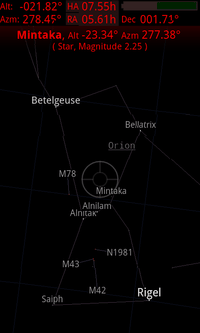
<content type="html">&lt;img src=&quot;/media/skeye-screen3.png&quot; alt=&quot;SkEye Screenshot&quot;&gt; &lt;p data-svelte-h=&quot;svelte-h3kyqt&quot;&gt;&lt;strong&gt;SkEye&lt;/strong&gt; is a Planetarium for Android. It is similar to &lt;em&gt;Google Sky Map&lt;/em&gt;, but designed to work with telescopes. It lets you use your phone as a &lt;em&gt;PUSHTO&lt;/em&gt; guide without needing any other equipment.&lt;/p&gt; &lt;p data-svelte-h=&quot;svelte-1x0u7iy&quot;&gt;&lt;strong&gt;There is now a &lt;a href=&quot;https://skeye.rocks&quot; target=&quot;_blank&quot;&gt;dedicated website for SkEye&lt;/a&gt; and related apps.&lt;/strong&gt;&lt;/p&gt;</content>
<updated>2010-12-28T00:00:00.000Z</updated>
</entry>
</feed>
